User Guide's Table Of Content
All the guides are are listed based on the sequence priority. So be sure to view them as per their sequence.



Manage Projects
Project setup, understanding links & variables and viewing redirection data.
What is redirections ?
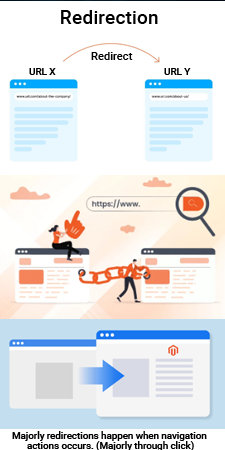
Redirections means moving from one website's page to another website's page OR if it is the same website then moving from one webpage to another webpage of the same site. In short navigating from one page to another page.
Many times during redirections there could be issues, like the destination page has been removed or moved to a diffrent url or might have some kind of error/s. In such condition the redirection has been occured but moved to a destination page have some issue.
What are URL parameters
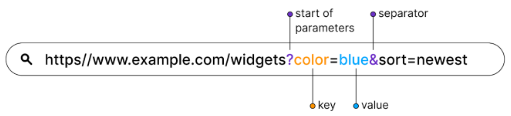
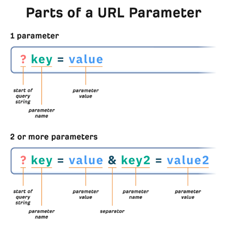
Parameters means additional text or link (besides redirection link) passed to the navigating link or url of the website. This text can be considered as data, which helps the software to capture it. To seprate the navigation link and parameter usually a ? symbol is been used. There could be a single parameter or multiple parameters and each parameters are seprated by & symbol. Each parameter is made up of a key and a value or parameter name and parameter value
eg: http://surveybackoffice.com?id=test-123-xyz-987&vendor=brain. In this example, the link has 2 parameters. The 1st is id=test-123-xyz-987 and the 2nd is vendor=brain, the 1st parameter's id is the key or parameter name and test-123-xyz-987 is the value of that key, like wise for 2nd parameter